
LinKad NFC Edition3.0.0 - Google Play
You'll be able to see results in few seconds.
Publisher Description
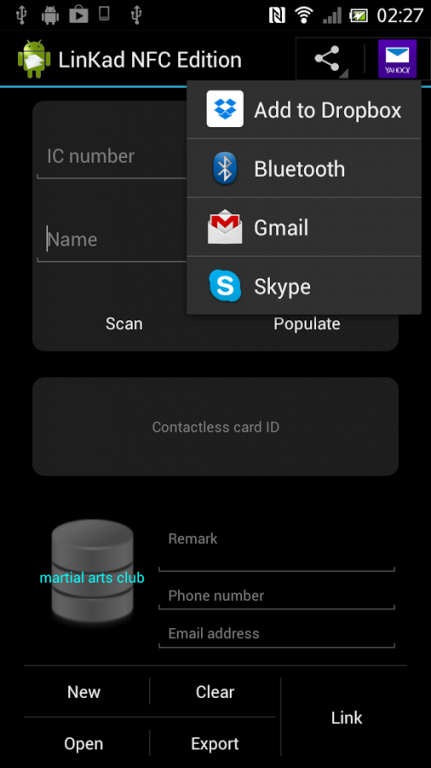
LinKad links a contactless smartcard or NFC tag to a person. Only an NFC-enabled smartphone is needed.
It accepts the optical character recognition (OCR) output of Google Goggles as personal particulars, thereby eliminating the need to key in the information. Nevertheless, input of personal particulars through the on-screen soft keyboard, or a physical USB/wireless/bluebooth keyboard still works. Otherwise, just click on a user file in Google Drive or Dropbox, and choose User Import to open it.
A user file is a simple text file. Each line of the file contains an IC number and a name, separated by a tab character.
After linking, the person taps the contactless card or NFC tag on the smartphone with the TapKad app running to indicate his or her presence. The presence may be used for attendance recording or even in a basic payment system. This eliminates the burden of remembering the names of your students and club members etc. They are represented by their cards or tags.
The apps that use the link data are :
- TapKad (records attendance)
- Attendance (creates attendance statistics)
- Notification (sends personalized SMS to attendees)
- Score Input, Result (record and publish examination scores, using RFID/NFC)
Disclaimer :
Causal Idea is not responsible for any loss, injury or damage inflicted during and after the installation and use of the application.
About LinKad NFC Edition
The company that develops LinKad NFC Edition is Causal Idea. The latest version released by its developer is 3.0.0.
To install LinKad NFC Edition on your Android device, just click the green Continue To App button above to start the installation process. The app is listed on our website since 2015-02-26 and was downloaded 0 times. We have already checked if the download link is safe, however for your own protection we recommend that you scan the downloaded app with your antivirus. Your antivirus may detect the LinKad NFC Edition as malware as malware if the download link to com.causalidea.cikad.linkad.nfc is broken.
How to install LinKad NFC Edition on your Android device:
- Click on the Continue To App button on our website. This will redirect you to Google Play.
- Once the LinKad NFC Edition is shown in the Google Play listing of your Android device, you can start its download and installation. Tap on the Install button located below the search bar and to the right of the app icon.
- A pop-up window with the permissions required by LinKad NFC Edition will be shown. Click on Accept to continue the process.
- LinKad NFC Edition will be downloaded onto your device, displaying a progress. Once the download completes, the installation will start and you'll get a notification after the installation is finished.
Program Details
System requirements
Download information
Pricing
Version History
version 3.0.0
posted on 2015-02-26
* Import of databases from archives,* Import of users from user files in Google Drive or Dropbox,* Export of users to CSV files,* Sharing of exported user CSV files,* Listing of users, allowing each user to be selected for card linking
version 3.0.0
posted on 2015-02-26
Disclaimer
Official Google Play Link
We do not host LinKad NFC Edition on our servers. We did not scan it for viruses, adware, spyware or other type of malware. This app is hosted by Google and passed their terms and conditions to be listed there. We recommend caution when installing it.
The Google Play link for LinKad NFC Edition is provided to you by apps112.com without any warranties, representations or guarantees of any kind, so access it at your own risk.
If you have questions regarding this particular app contact the publisher directly. For questions about the functionalities of apps112.com contact us.
